
What to do if the app won't launch or keeps crashing?
First, make sure your device meets the minimum system requirements:
- Android: v8.0 and above, minimum 2GB RAM.
- iPhone: iOS 12 and above.
Steps to follow when issues are detected:
- Restart your smartphone
- Go to your smartphone’s settings → Apps → Faceter → Make sure the app has been granted all required permissions and that the app version matches the one published on Google Play or App Store
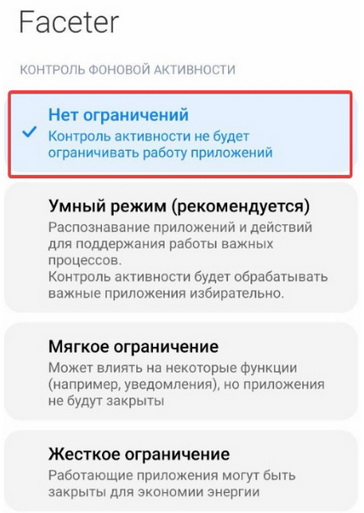
- For Xiaomi smartphone owners: make sure that the “background activity control” setting is set to “no restrictions”.
- If the problem persists but you were able to open the app, contact us via the feedback form in the app or use the Faceter technical support bot in Telegram.
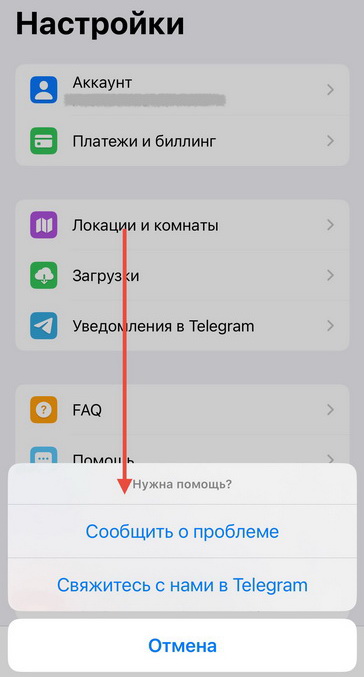
If you cannot launch the app, it is recommended to use the Faceter technical support bot in Telegram.
If the app fails to launch, uninstall it, restart your smartphone, and then reinstall the latest version of the app from Google Play or App Store.