Access Management: how to share a camera and recording archive in seconds?
Sharing cameras, locations, and recording archives has never been easier: with Faceter you can share your video surveillance with any other user.
How to Grant Access
Section titled “How to Grant Access”- Select the required camera from the location list or find it using the text search;
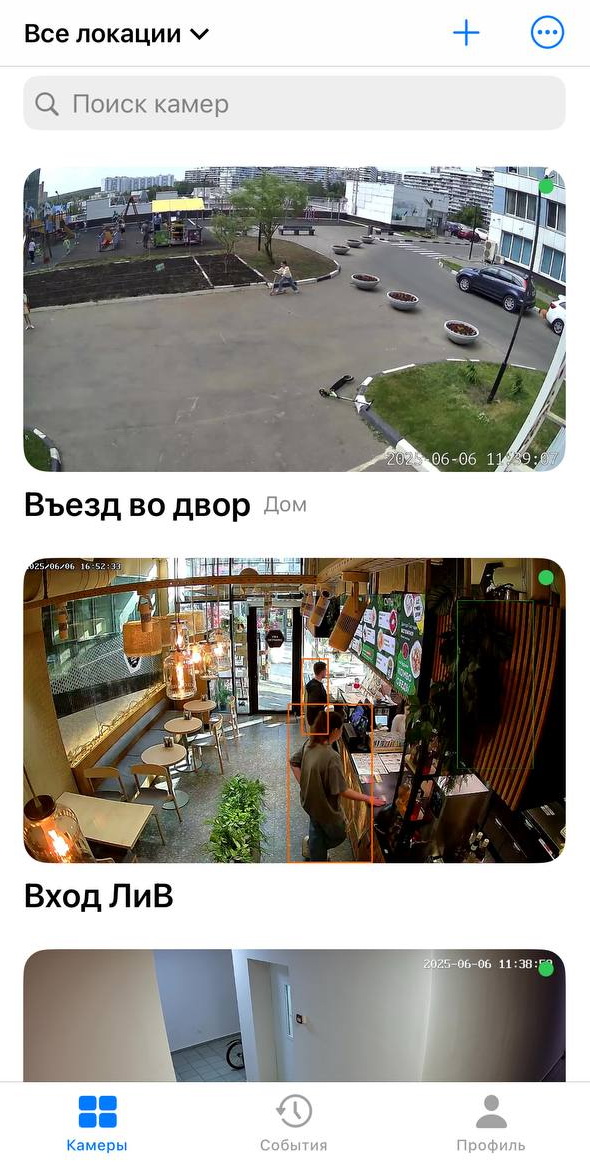
- Open the menu (three dots) and find the “Share” button in the dropdown list;
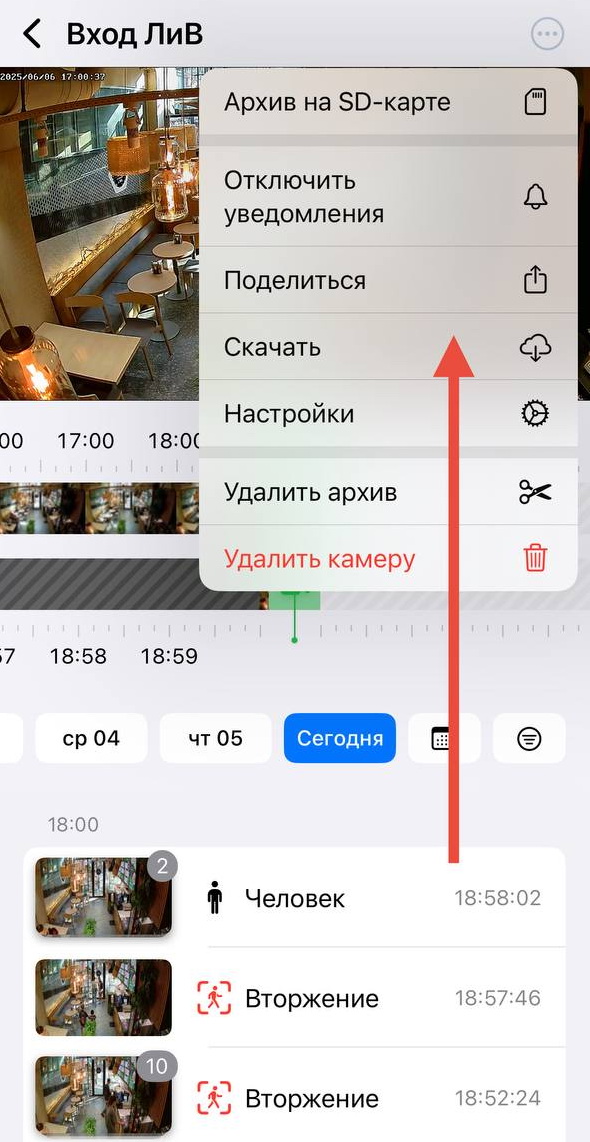
Or tap the “Share” button in the upper right corner of the video while in viewing mode;
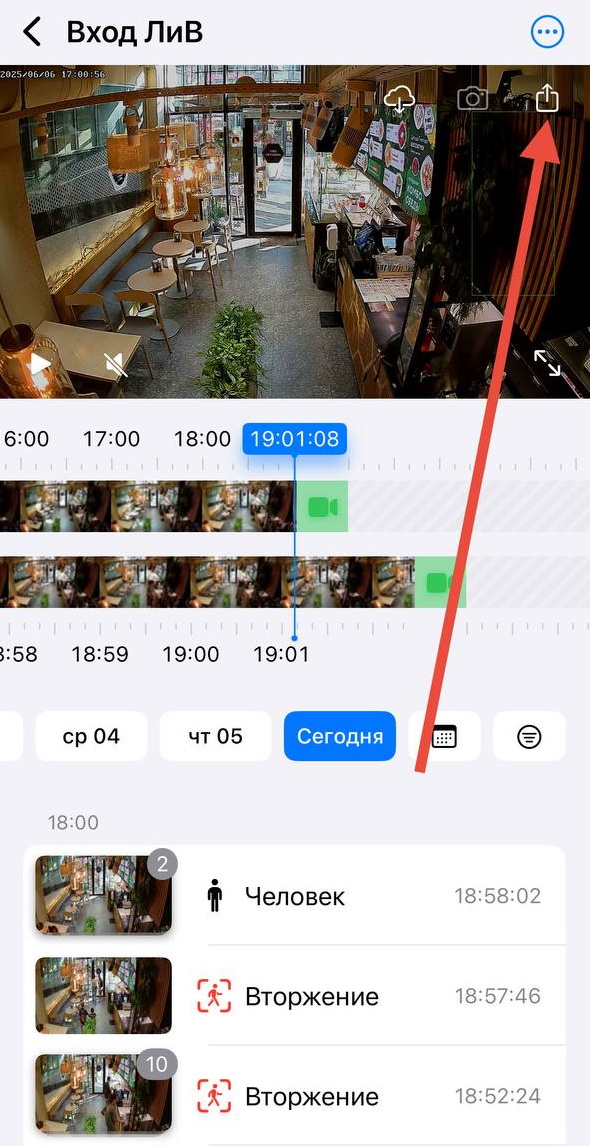
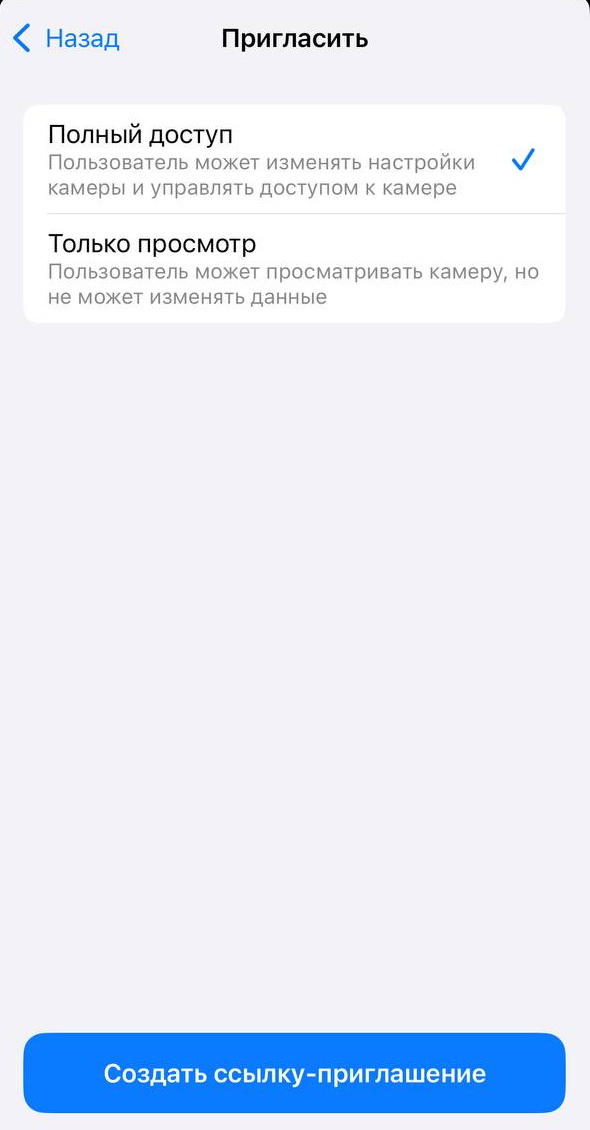
- Choose the access type (full access or view-only);
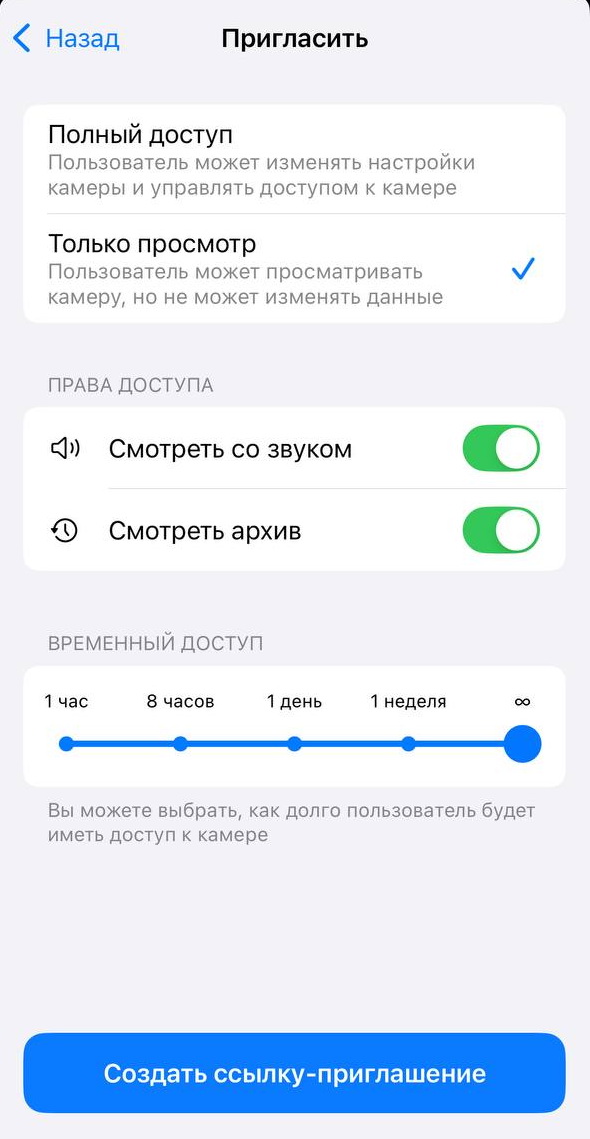
- Set additional parameters (e.g. viewing with audio, access to the archive, time limits) and generate an invitation link;
- Send the link in any convenient way.
Done: the recipient now has access to the camera according to the selected settings. The number of invitations is unlimited.
Who can you send the link to? It all depends on the task at hand: it could be a security guard, law enforcement representatives, or simply a friend you want to share an important event with.
Access Management Center
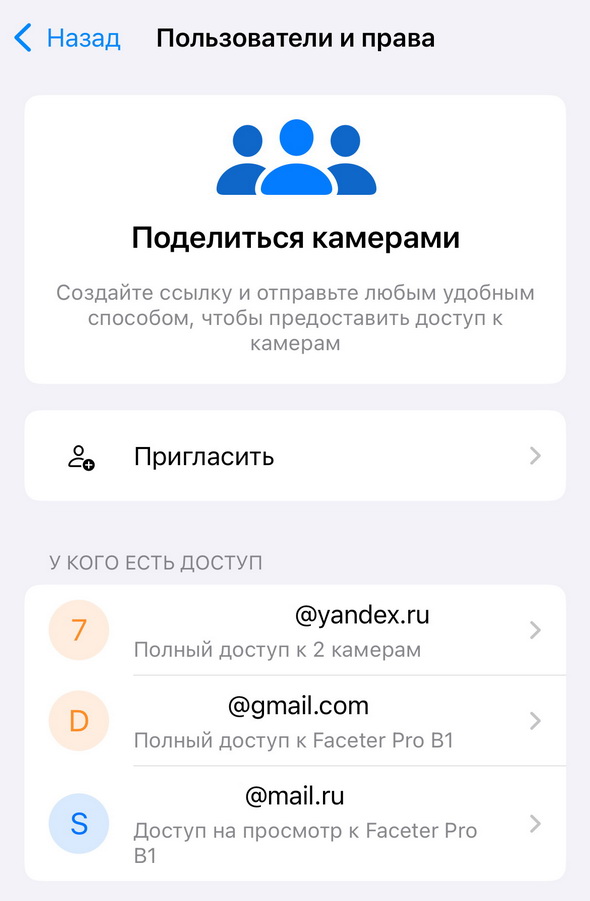
Section titled “Access Management Center”Here you can see all granted permissions, add new people, change the access level, and remove participants.
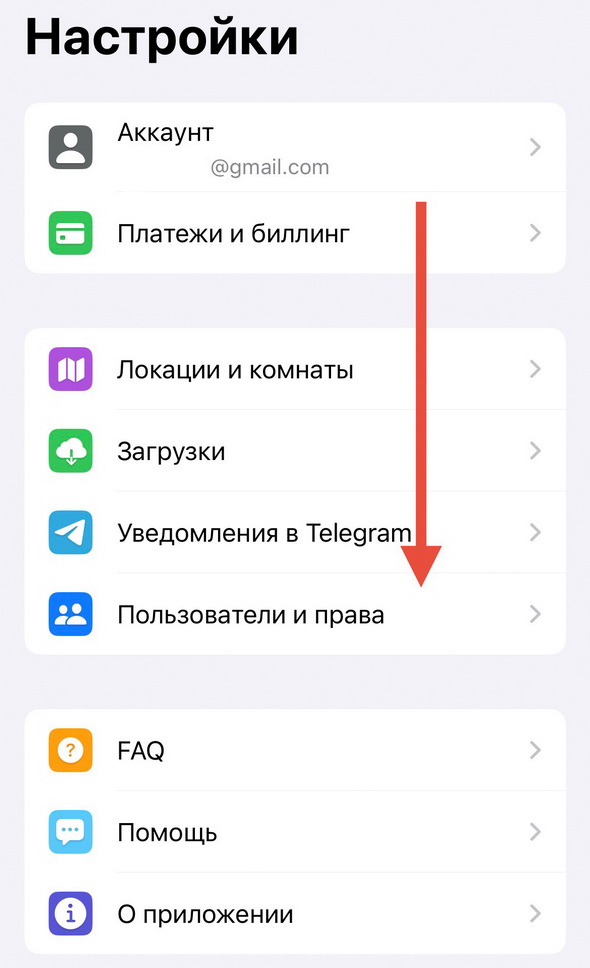
Where to find this section:
Settings => “Access Management” (for Android) or “Users & Permissions” (for iOS).