
Person Detection: how to find a person in the recording?
Planning to track a person on camera or detect people in specific areas of the view? For this, a dedicated event type called Person Detection is used. Configure the sensor with a confidence level from 0 to 100 and select the areas on the camera to focus on.
How It Works
Section titled “How It Works”The sensor detects the presence of a person in the selected areas and alerts the user. Our system uses AI algorithms to detect people, which improves detection accuracy: using the “Confidence” and “Event Location” settings, the system determines whether a person is present in the selected areas.
Use Cases
Section titled “Use Cases”For detecting when a person appears in the frame or in specific areas of the frame (e.g. during a break-in or when someone enters a restricted area).
How to Configure
Section titled “How to Configure”- Select the required camera from the location list or find it using the text search;
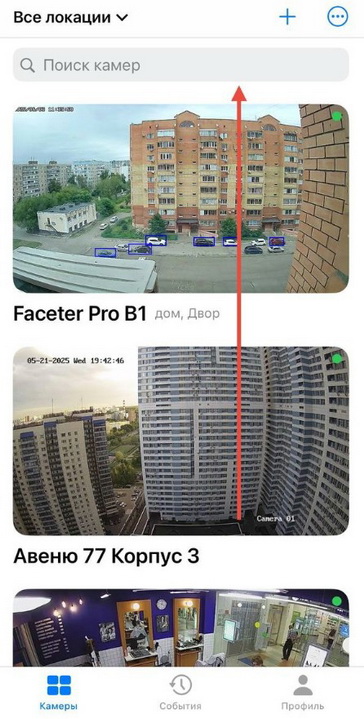
- Open the settings menu (three dots) and tap “Settings”;
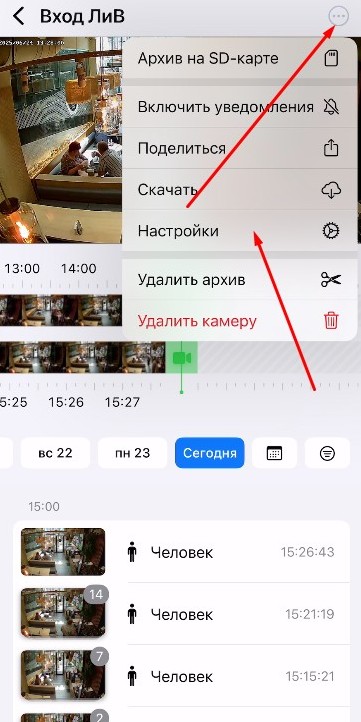
- Select “Camera Settings”;
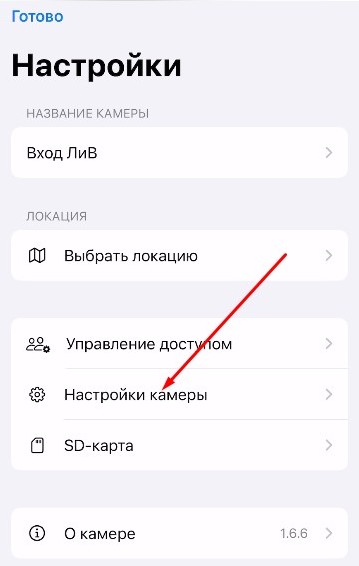
- Tap “Smart Events”;
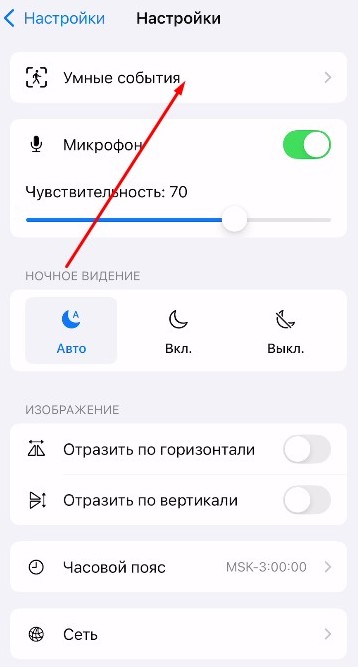
- Select “Person Detection”, then “Advanced Settings”;
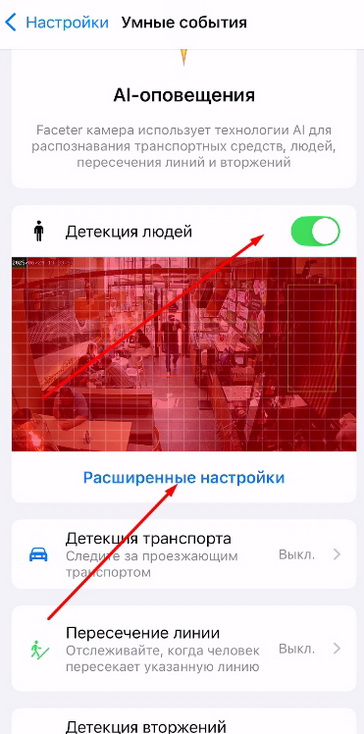
- Specify the area, set the “Confidence” and “Event Location” values.
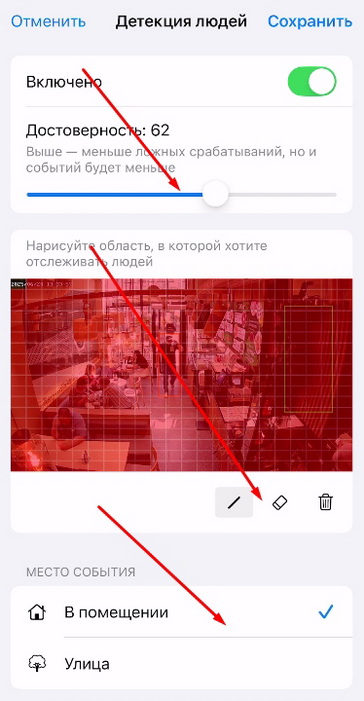
The lower the “Confidence” parameter, the more sensitive the sensor will be; however, this also increases the frequency of false triggers.
“Event Location” allows you to optimize the sensor for more accurate operation indoors or outdoors.
- Configure Push notifications and/or Telegram notifications.
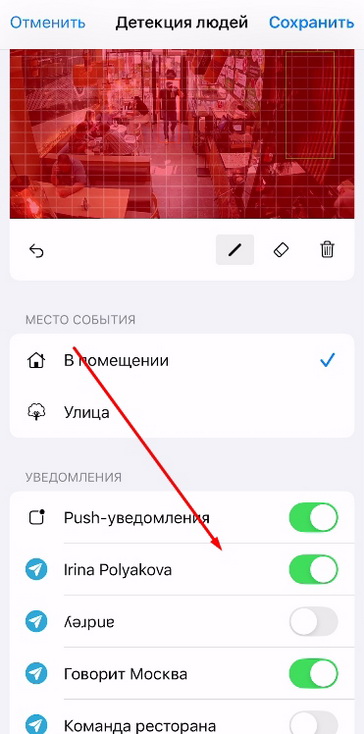
- Tap the “Save” button.
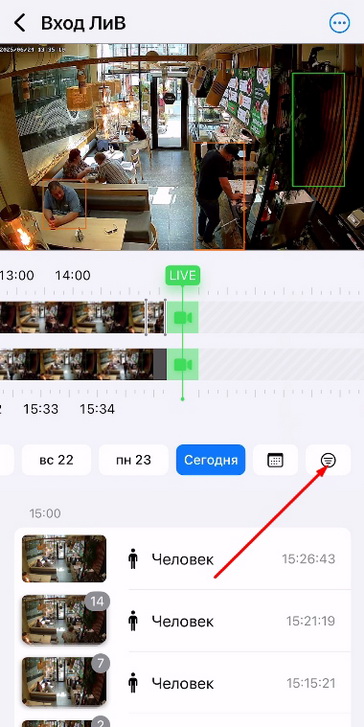
All detected events can be found in the event feed; use the filter for easier searching.
Use intelligent person detection systems for maximum effectiveness of your video surveillance. Create your own response scenarios depending on the tasks at hand.
No person will go unnoticed with the Faceter app. Use Person Detection to spot people in the areas of interest within your surveillance view.