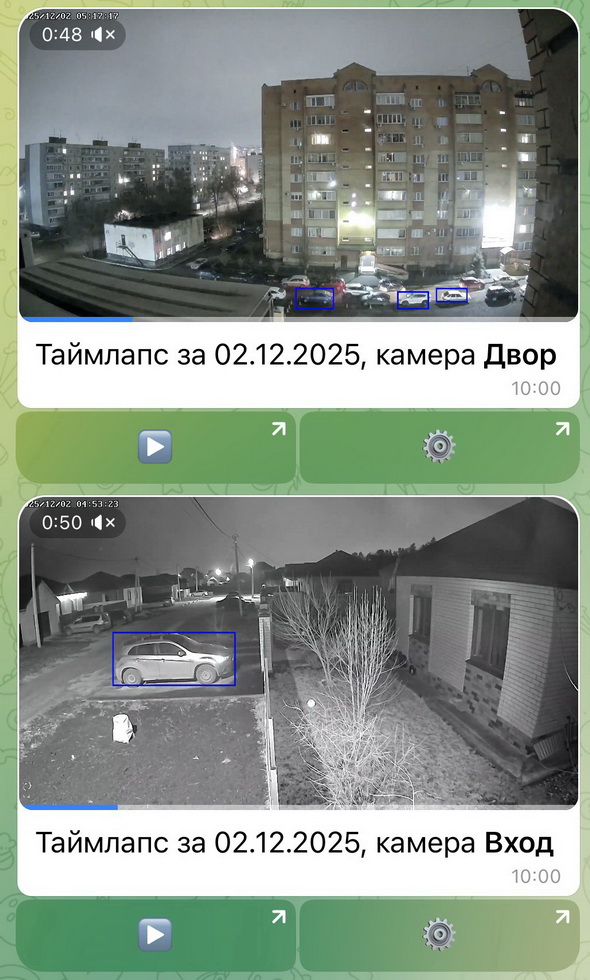
Timelapse: a quick overview of the day's events
Timelapse is a short video in which an entire day is transformed into a dynamic visual chronicle. Convenient for monitoring construction progress and renovations, or for quickly reviewing the archive for the past 24 hours.
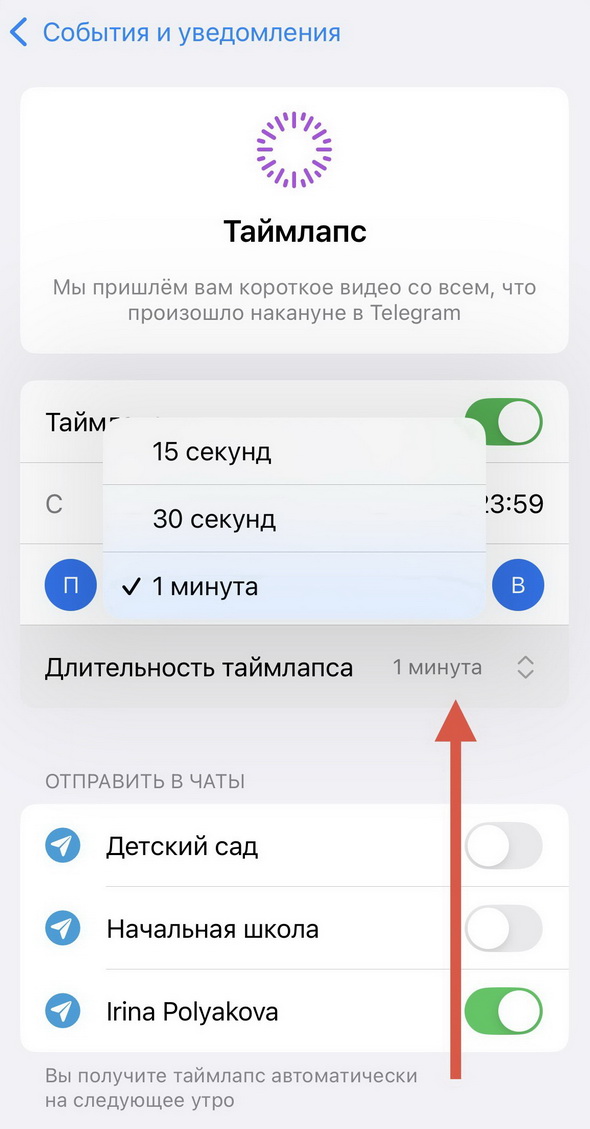
The camera captures frames at regular intervals and assembles them into a short video of a specified length (15, 30, or 60 seconds). The videos are sent to Telegram automatically, every day.
How to Set Up Timelapse
Section titled “How to Set Up Timelapse”- Select the camera you are interested in from the list
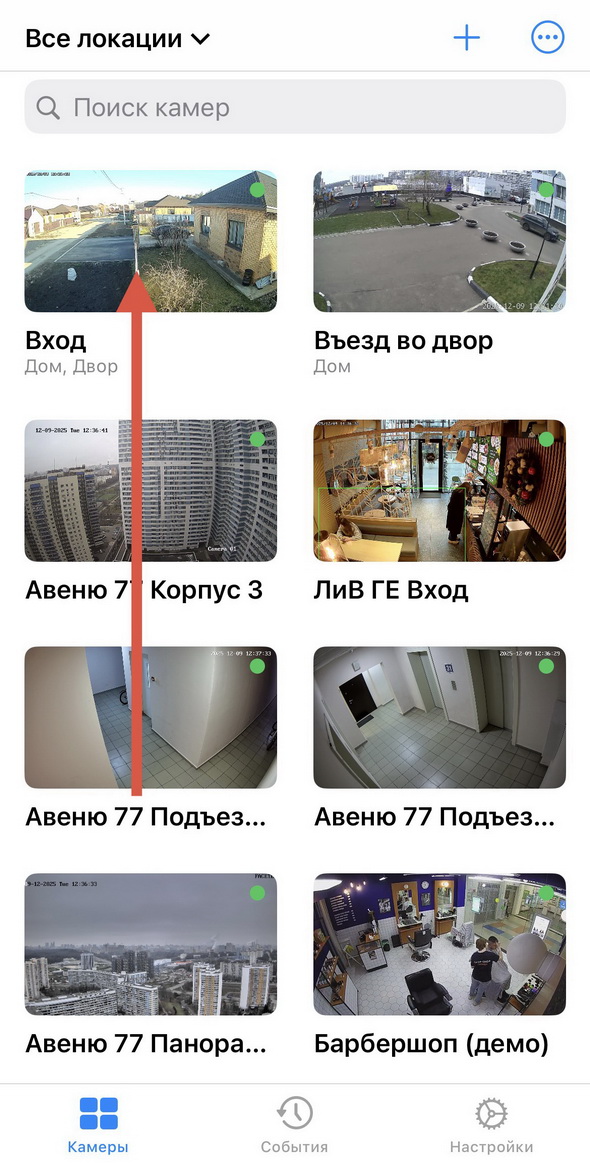
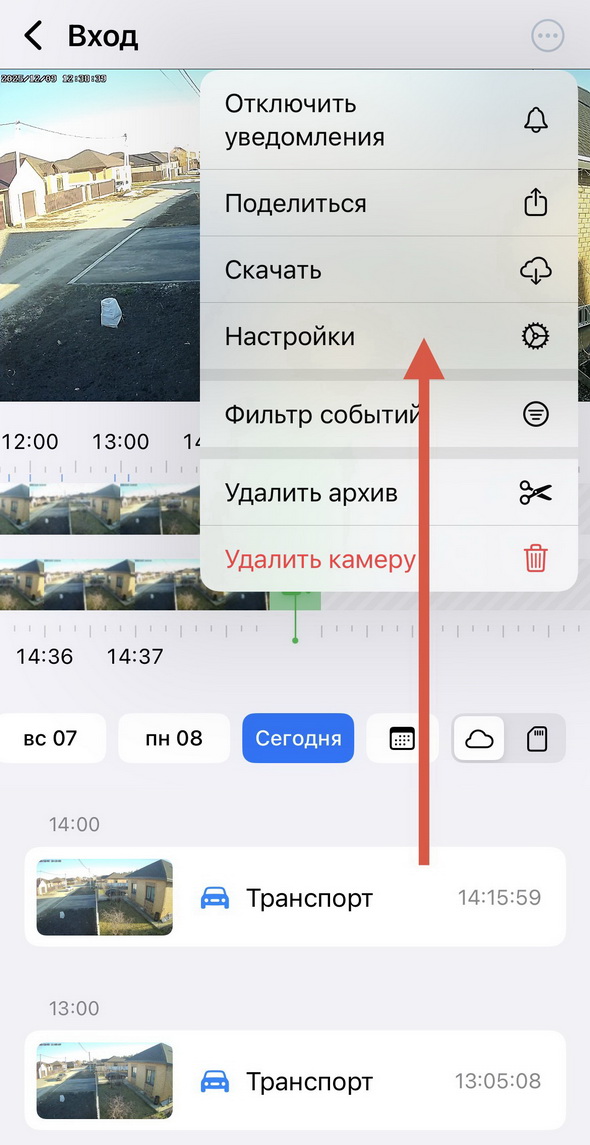
- Go to “Settings”
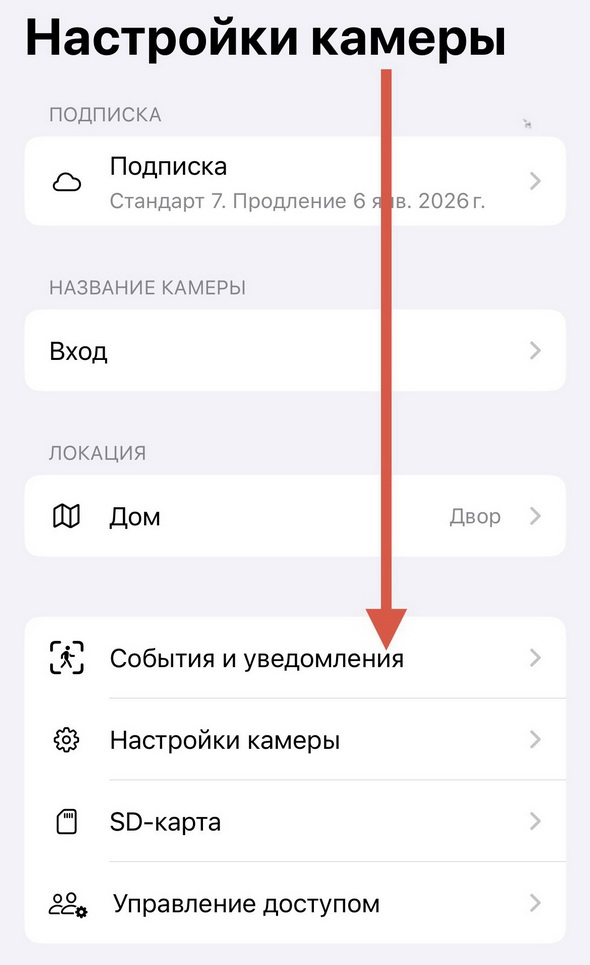
- Select “Events & Notifications”
- Select “Timelapse”
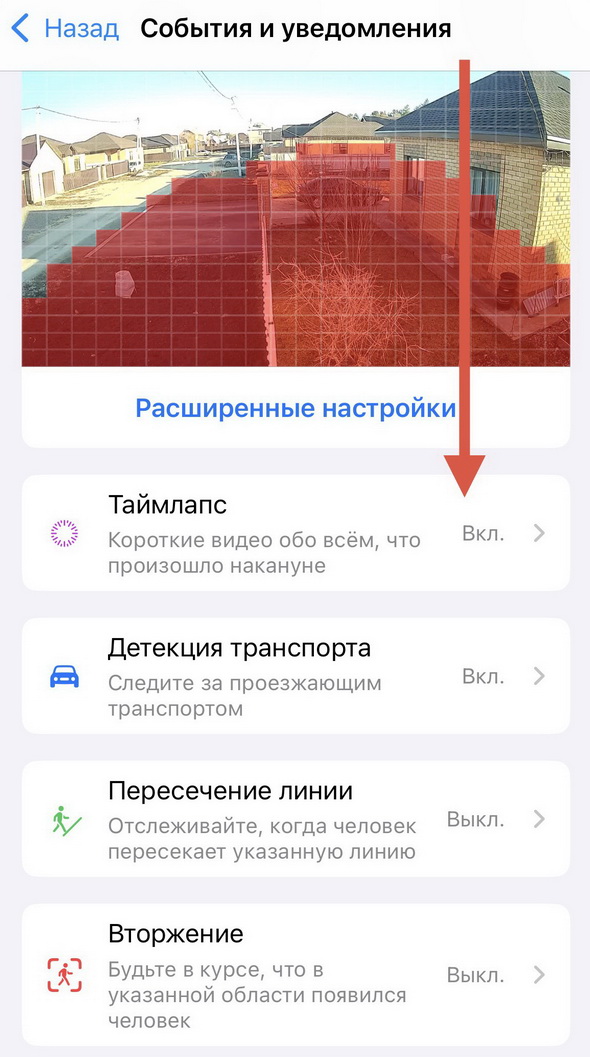
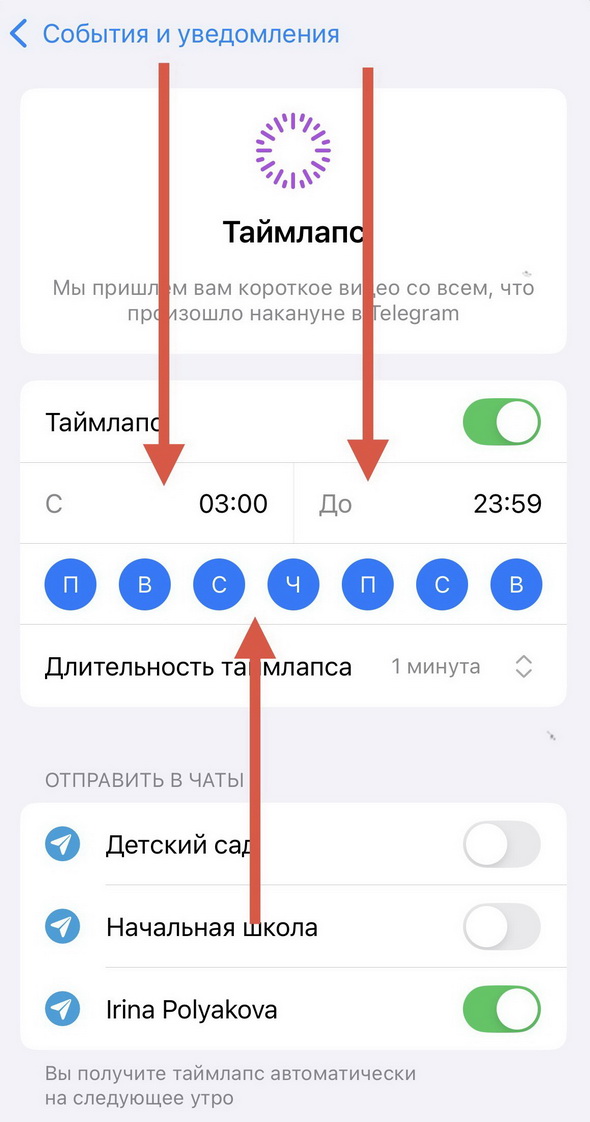
- Specify the days of the week and the exact time during the day for recording
- Select the video duration
- Select the chat(s) for daily automatic timelapse delivery
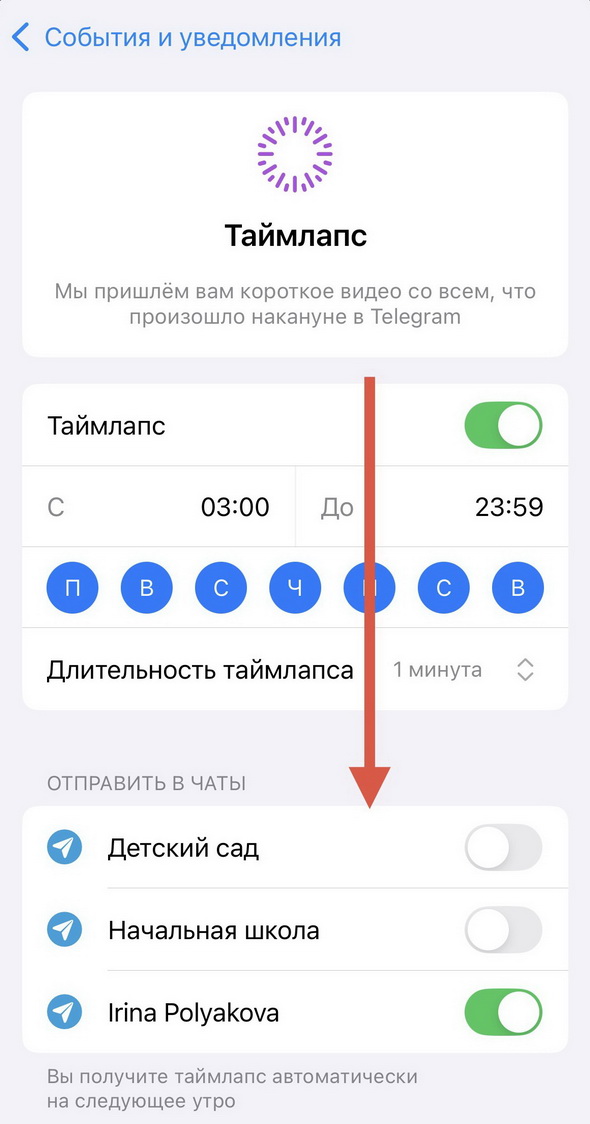
Reports can be sent both to the user personally and to groups, with no limit on the number of groups.
For convenience, we recommend creating a separate chat for timelapse videos: this way only daily reports will be stored there.