
Connecting the Wi-Fi camera Mini M1
For a fully wireless connection, use the Faceter Mini M1 Wi-Fi camera.
Connection Steps
Section titled “Connection Steps”- Tap the add new camera button.
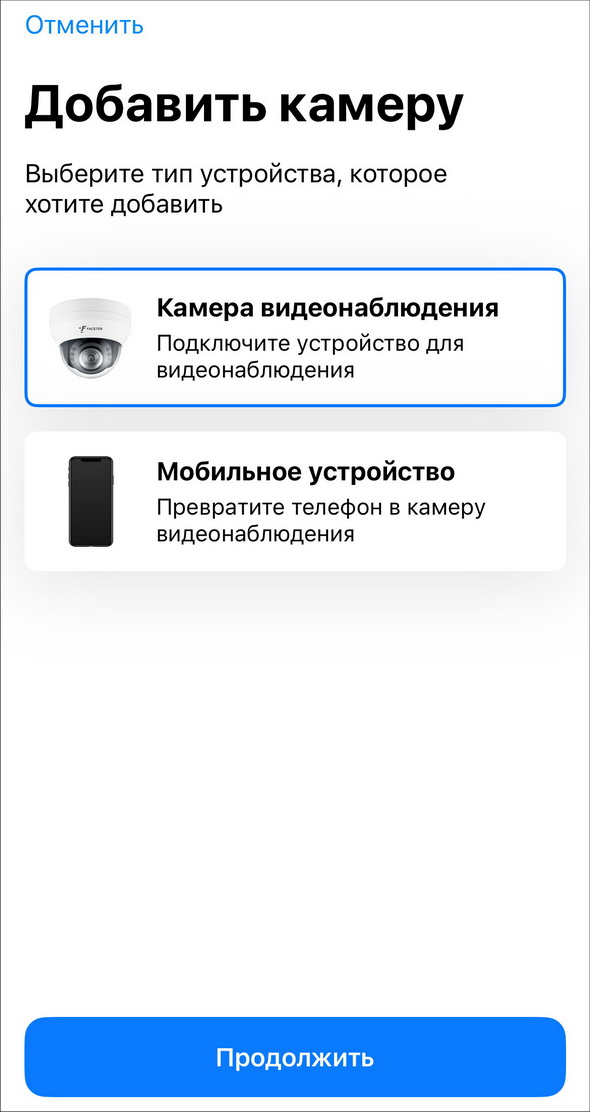
- Select the model “Faceter Mini M1” from the list.

- Power on the camera and wait for the audio signal.
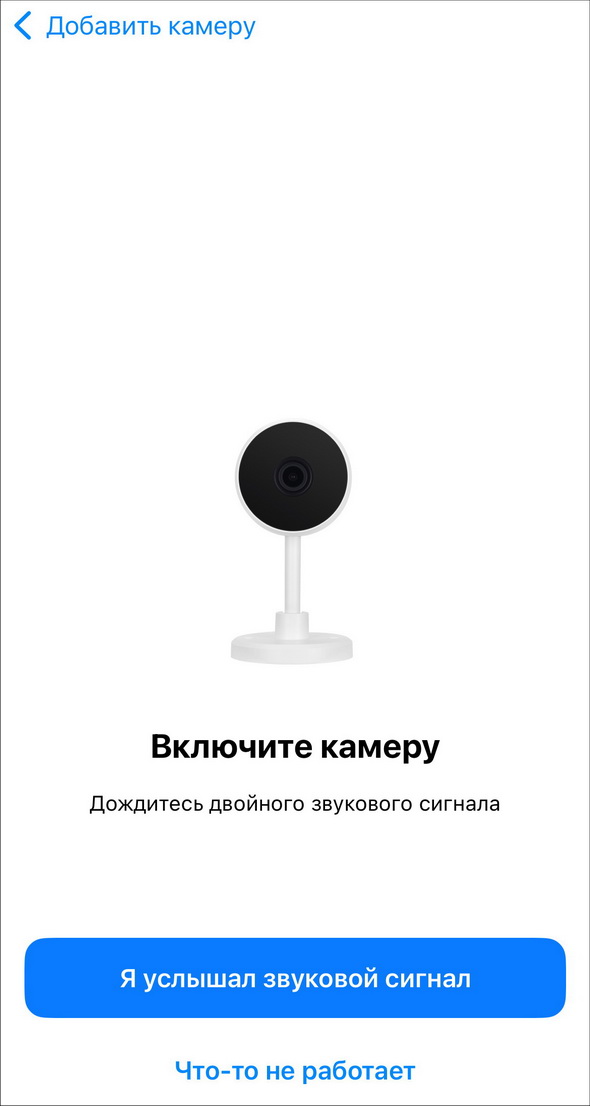
If more than 60 seconds have passed and there is no audio signal, tap “Something is not working”. Follow the on-screen instructions.
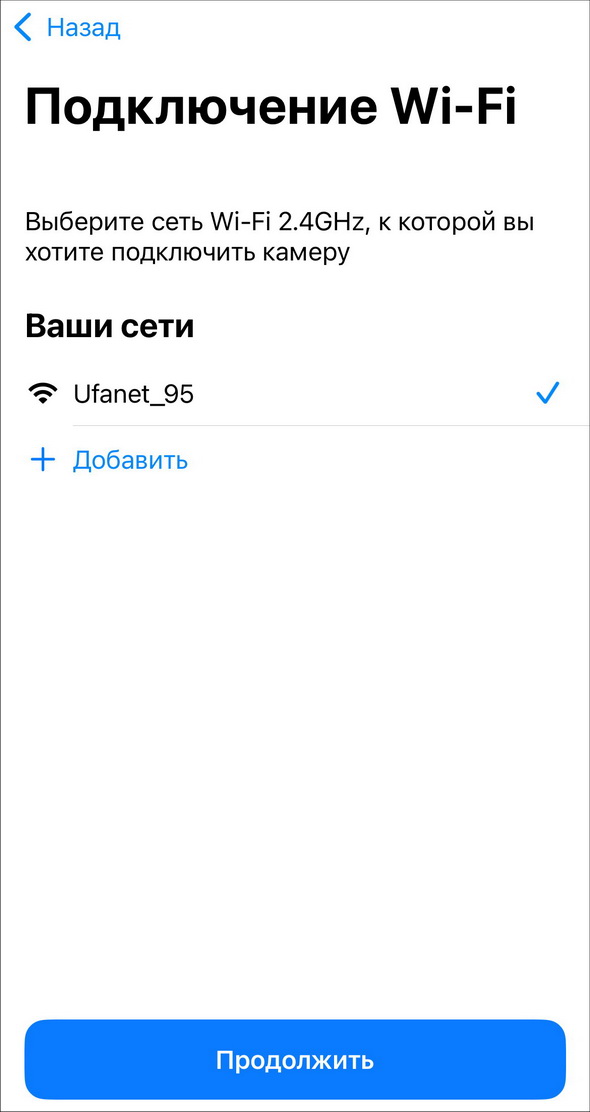
- After the audio signal, select your Wi-Fi network.
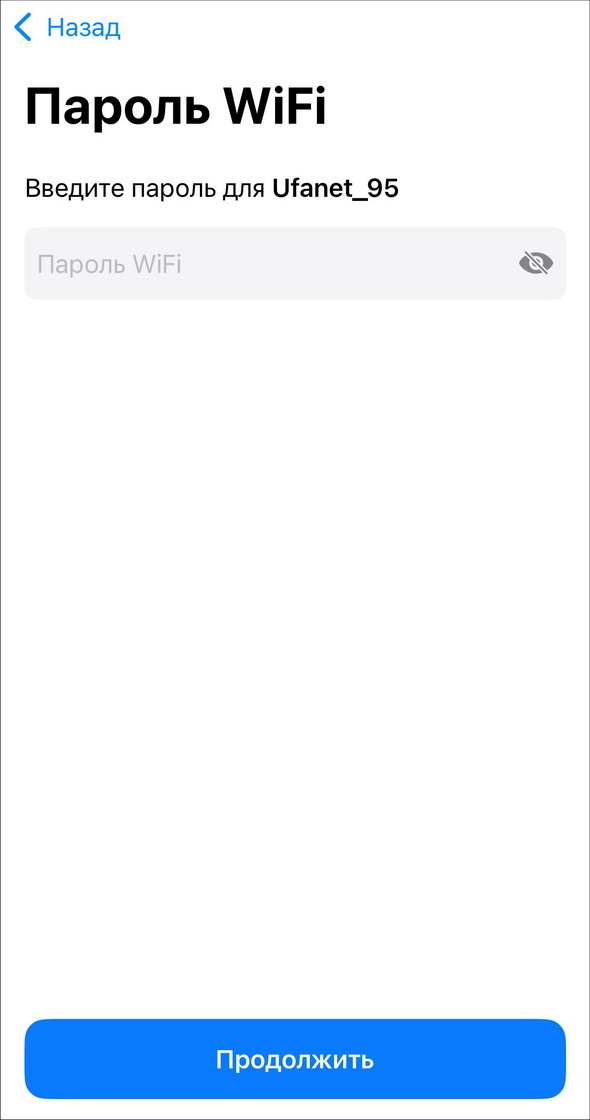
- Enter the Wi-Fi network password.
- Get ready to scan the QR code.

- After a successful scan the camera will be added.


At the final stage you can add the camera to a location and select the room it is placed in.

After the camera is successfully added, it will automatically check for firmware updates. If a newer version is found, the system will suggest updating.
Integration complete.