
Intrusion detection: how is the event configured for perimeter monitoring?
Stay aware of everything happening in the specified area: monitor the appearance of objects or movement beyond the perimeter boundary with Faceter’s Intrusion Detection.
How It Works
Section titled “How It Works”The camera detects when a person or vehicle crosses any line of the defined perimeter and instantly alerts you to the intrusion.
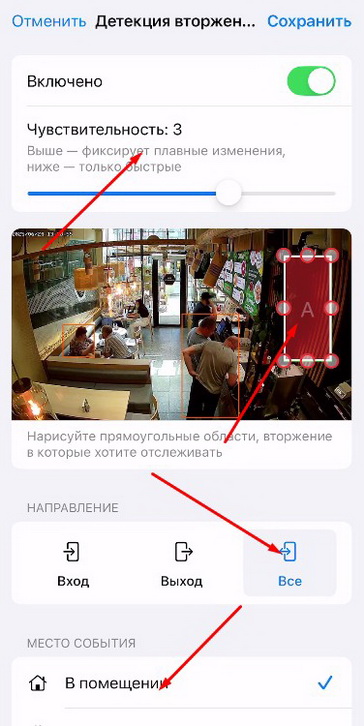
The user can specify the direction of movement for detection (entering the perimeter, exiting, or both), sensitivity, and the event location. For example, the higher the sensitivity, the more likely the system is to detect gradual changes in the defined area. However, higher sensitivity also increases the likelihood of false detections.
Use Cases
Section titled “Use Cases”A wide range of applications, for example: controlling access to premises, protecting hazardous zones, tracking children’s movements, protecting a vehicle from intruders.
How to Configure
Section titled “How to Configure”- Select the required camera from the location list or find it using the text search;
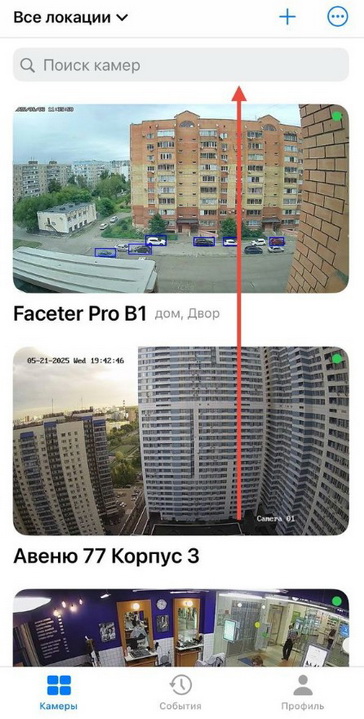
- Open the settings menu (three dots), tap “Settings”;
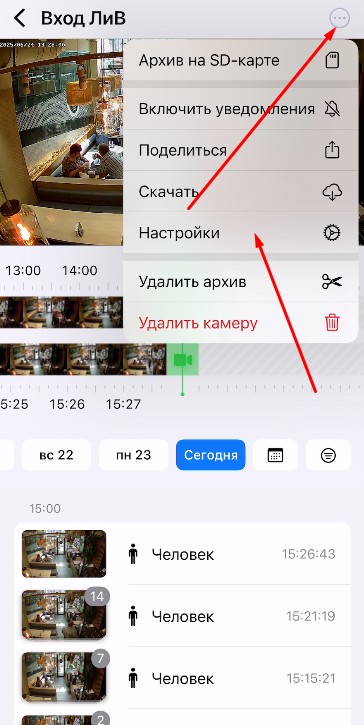
- Select “Camera Settings”;
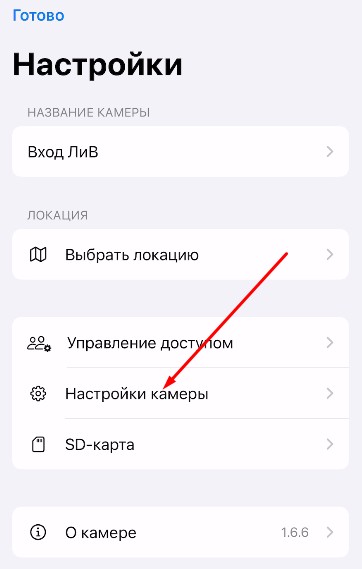
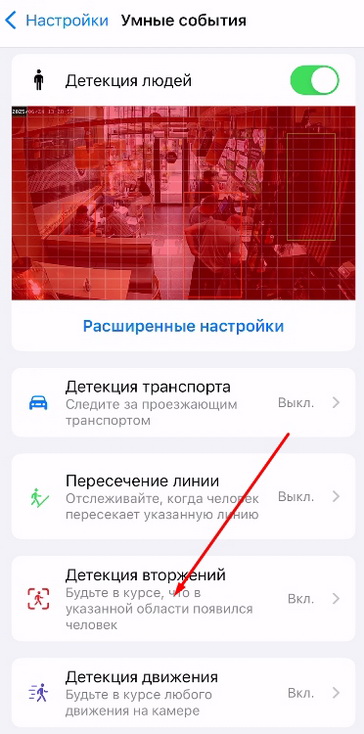
- Tap “Smart Events”;
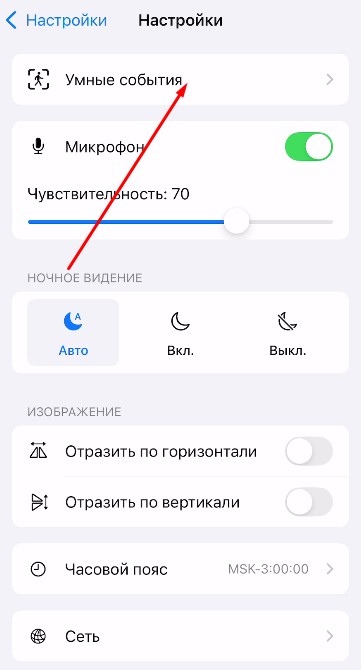
- Select “Intrusion Detection”;
- Define the area on the camera, set the values for “Sensitivity”, “Direction”, and “Event Location”;
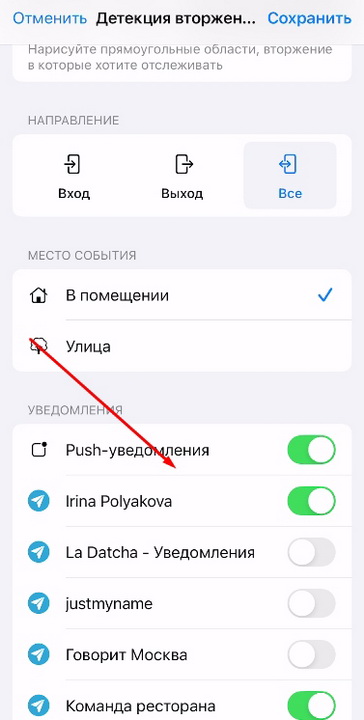
- Configure Push notifications and/or Telegram notifications.
Monitor important perimeters with the Faceter system: use one of the most effective detectors for maximally flexible video surveillance configuration.