
How to pay for a subscription?
A paid Faceter subscription unlocks full functionality: smart detection settings, event feed, cloud recording, Telegram reports, and quick archive download.
Choose a convenient payment format starting from 249 rubles per month:
- Bank card, SBP (Faster Payments System);
- Invoice payment (for legal entities).
Topping Up Your Balance
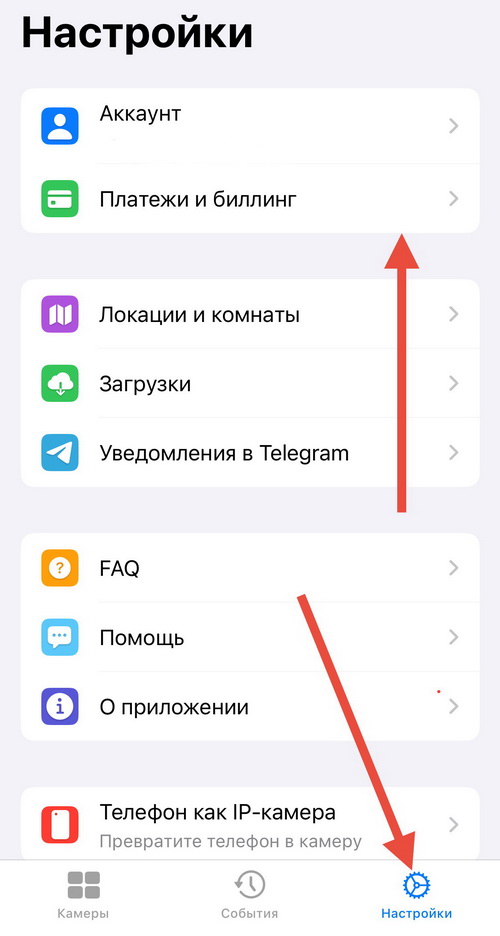
Section titled “Topping Up Your Balance”- Go to “Settings”, select “Payments & Billing”
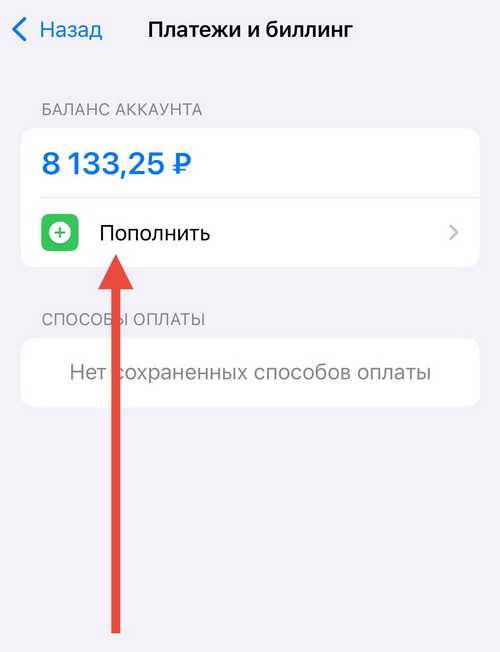
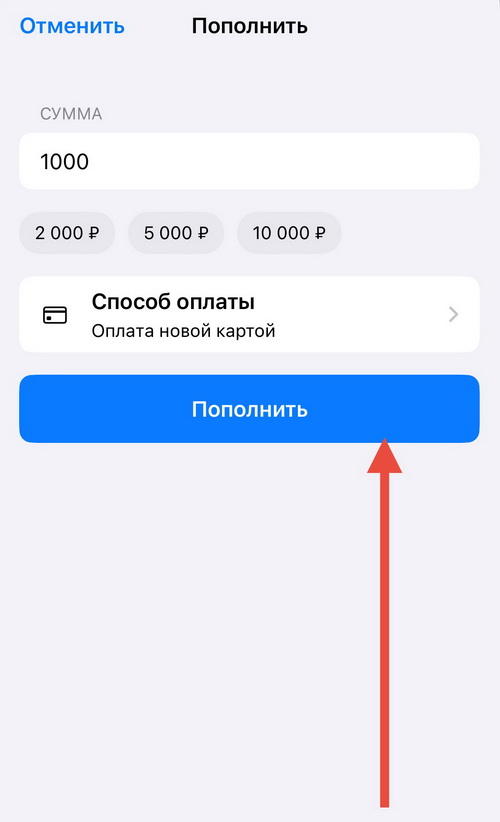
- Tap “Top Up”
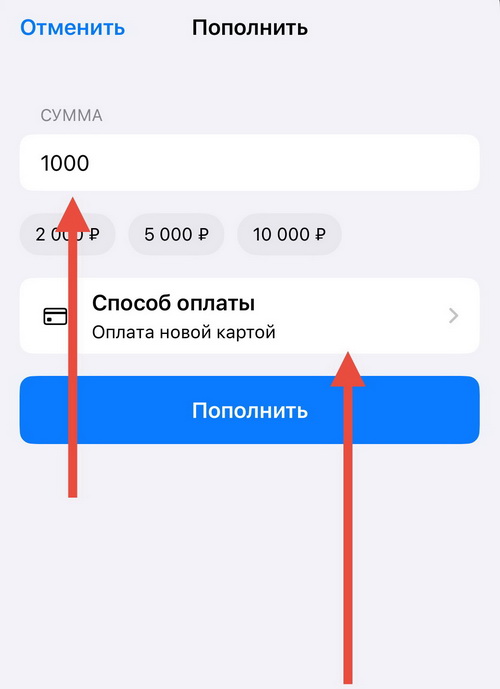
- Enter the top-up amount and tap “Payment Method”
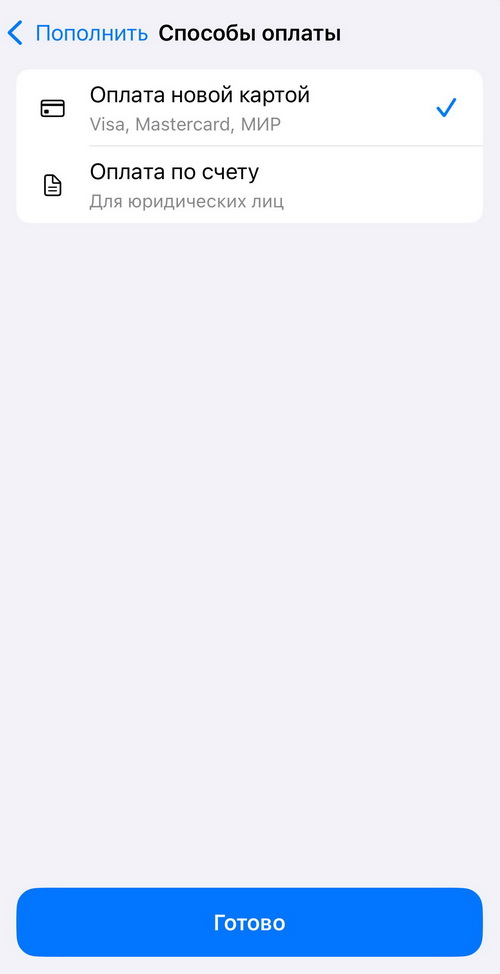
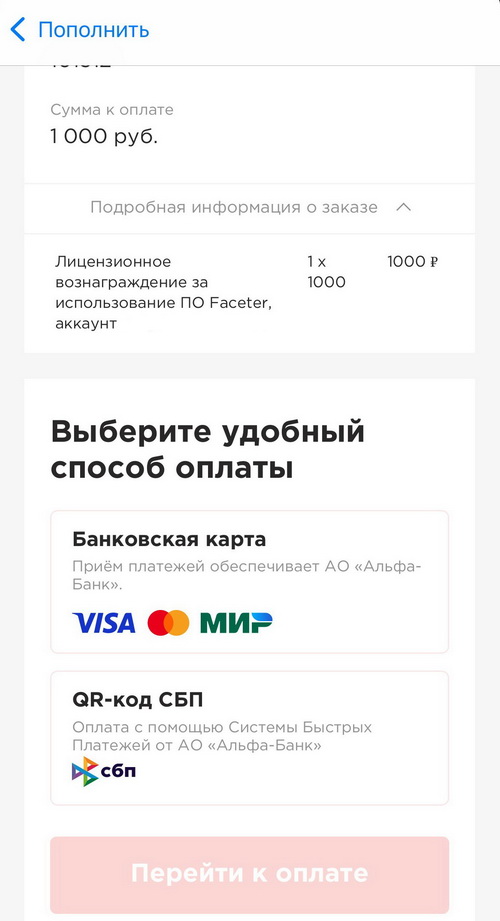
- Select the desired payment method
- If paying by card, tap “Top Up”
- Enter the card details
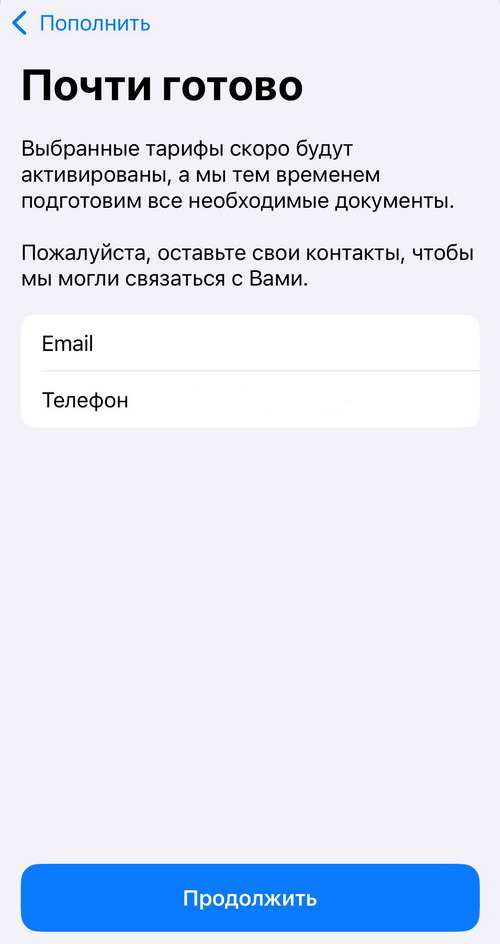
- If paying by invoice, enter the required details — a Faceter manager will contact you to process the bank transfer.
Paying for a Camera Subscription
Section titled “Paying for a Camera Subscription”- Switch to the subscription plan selection mode. There are three ways to do this. First — tap the informational notification in the camera list window.
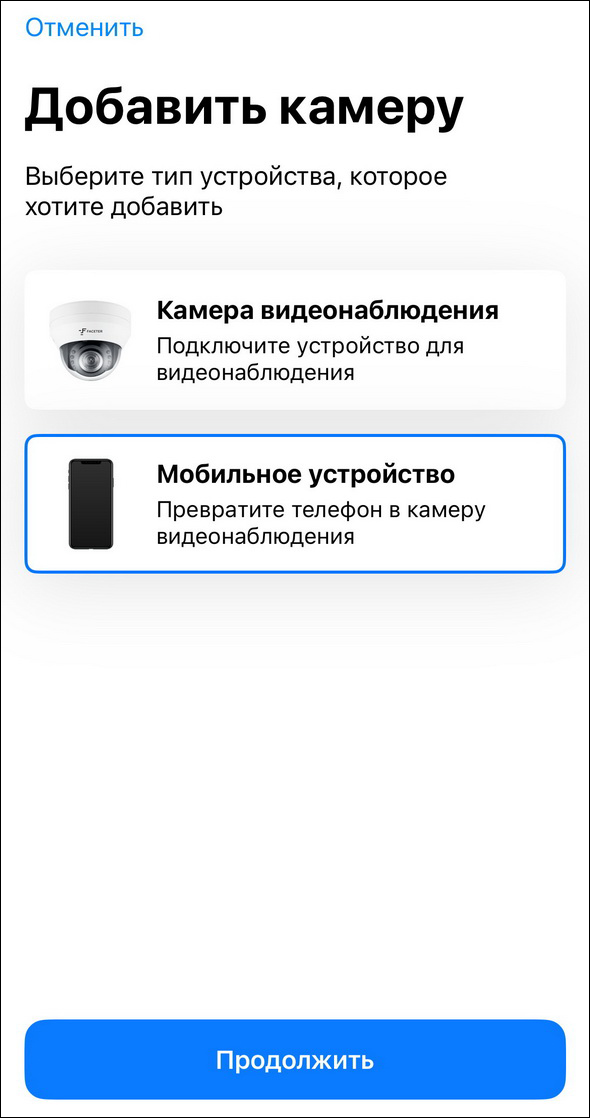
Second — tap the informational notification in the view of an unpaid camera.
Third — open the camera settings menu (three dots in the upper right).
- Tap on the subscription panel
- Select a subscription plan
Paying for a full year reduces the monthly cost — choosing a longer subscription period is more cost-effective.
- Review the subscription terms
- Confirm the purchase. If your balance has sufficient funds, the amount will be deducted from it. If funds are insufficient, you will need to choose a top-up method (card or invoice payment).
A paid subscription gives you access to cloud storage and the full functionality of our cameras. Choose the full version for the most effective video surveillance system.