
Vehicle Detection: how to find and record a vehicle?
Another event type detected by Faceter cameras is Vehicle. A convenient way to monitor vehicles: from a stranger’s car appearing on your country property to a vehicle being unloaded at a commercial facility.
How It Works
Section titled “How It Works”Sensitive sensors detect vehicles based on trained AI. The system is familiar with the configuration and dimensions of vehicles, allowing it to quickly detect a vehicle in the frame.
Use Cases
Section titled “Use Cases”For tasks related to vehicles — for example, a neighbor pulling too close to your car in a parking lot, or equipment appearing at a construction site.
How to Configure
Section titled “How to Configure”- Select the required camera from the location list or find it using the text search;
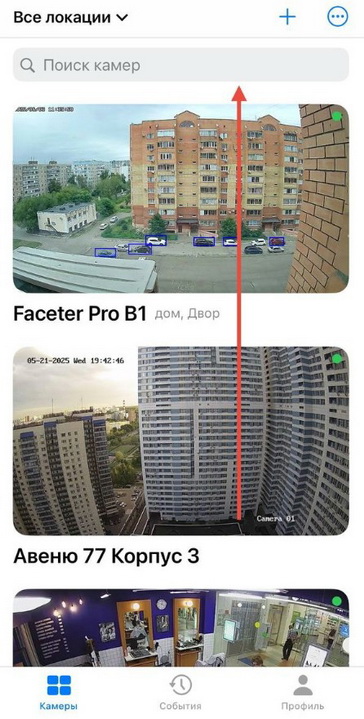
- Open the settings menu (three dots), tap “Settings”;
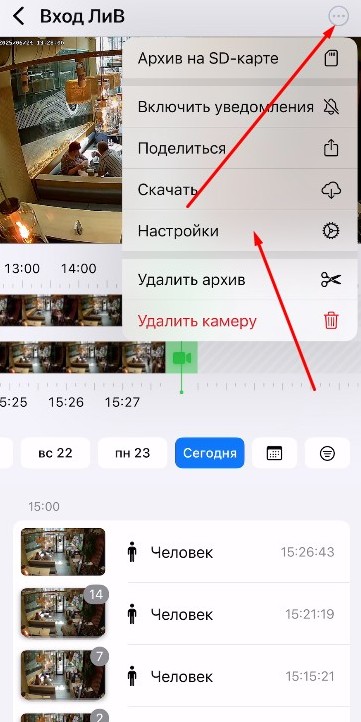
- Select “Camera Settings”;

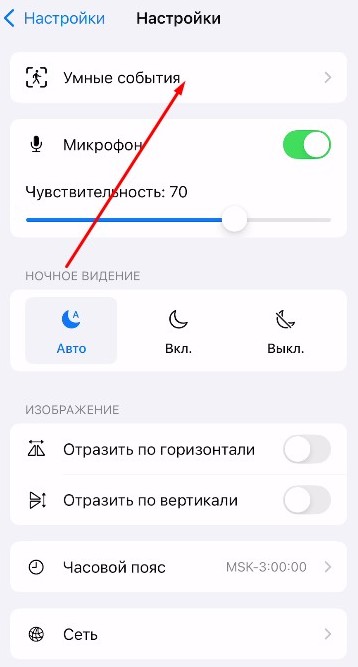
- Tap “Smart Events”;
- Select “Vehicle Detection”;
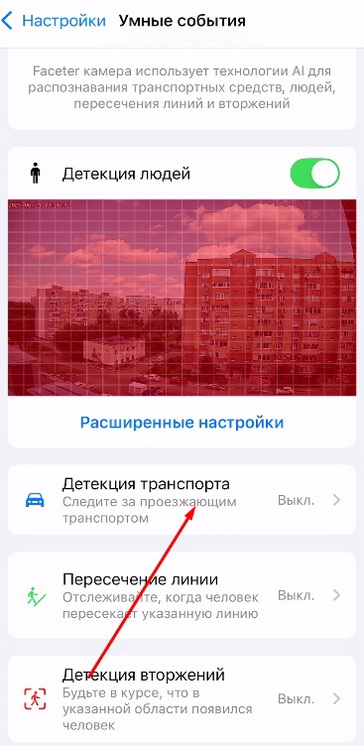
- Set the “Confidence” value and select the monitoring area;
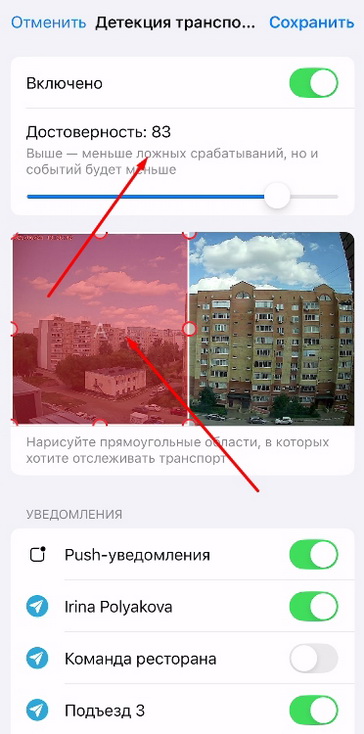
The lower the “Confidence” parameter, the more sensitive the sensor will be; however, this also increases the frequency of false triggers.
- Configure Push notifications and/or Telegram notifications.

No vehicle will go unnoticed thanks to the sensitive sensors and software from Faceter.