
Quick Download: how to find and download a video segment?
You can search for a segment and download the video to your device in just a few clicks.
How to Download a Clip
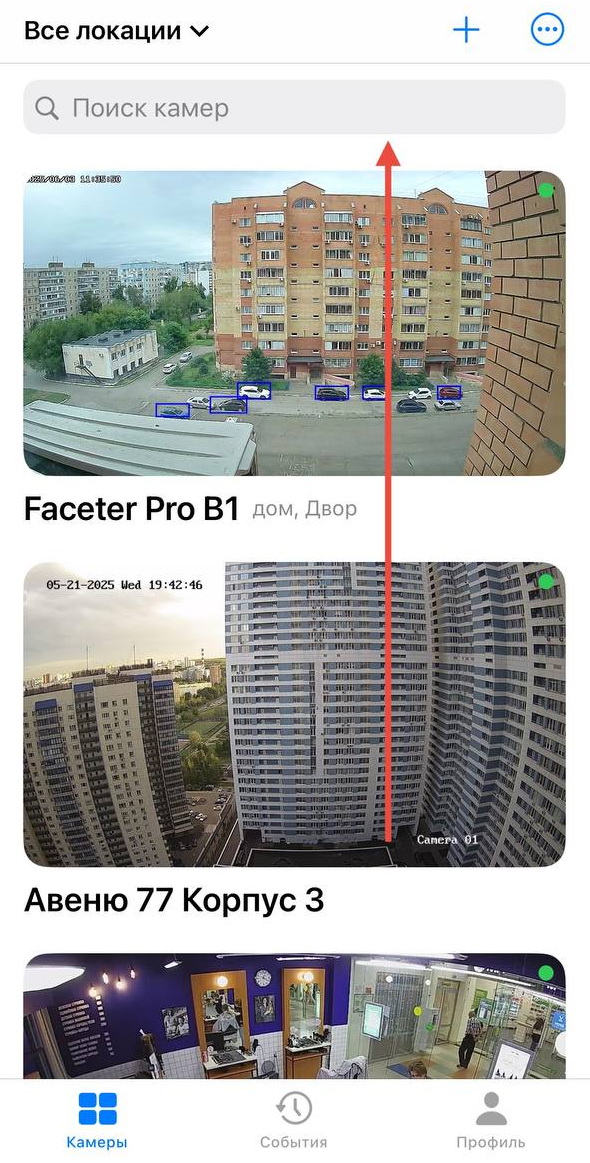
Section titled “How to Download a Clip”- Select the required camera from the location list or find it using the text search.
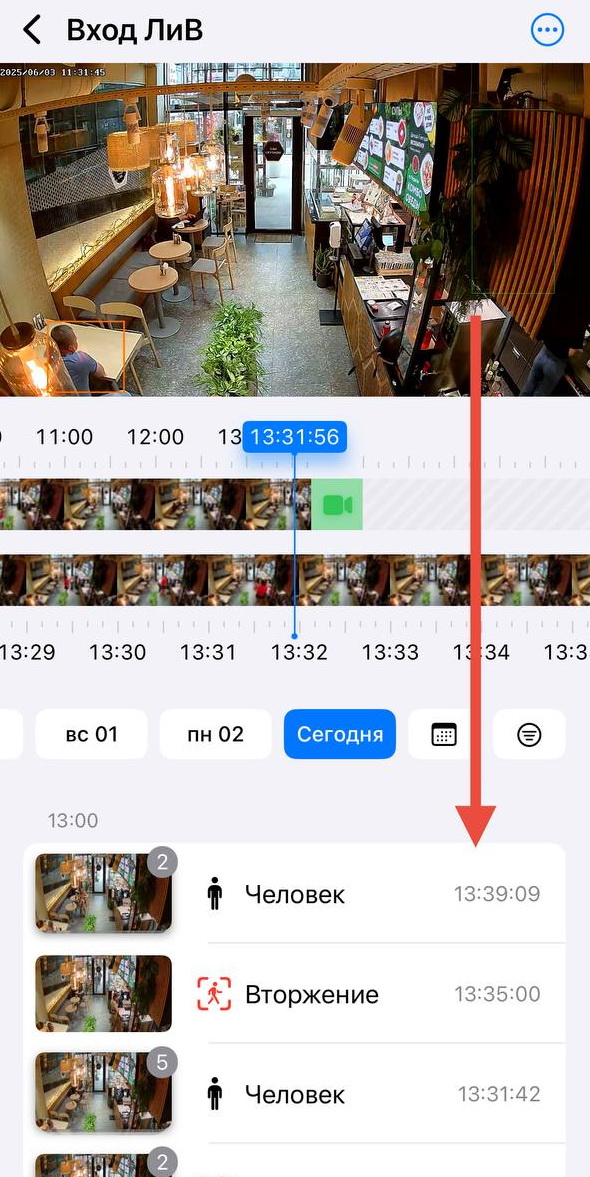
- Find the segment you are looking for. For example, use event labels — Person, Motion, Vehicle, Line Crossing, Intrusion.
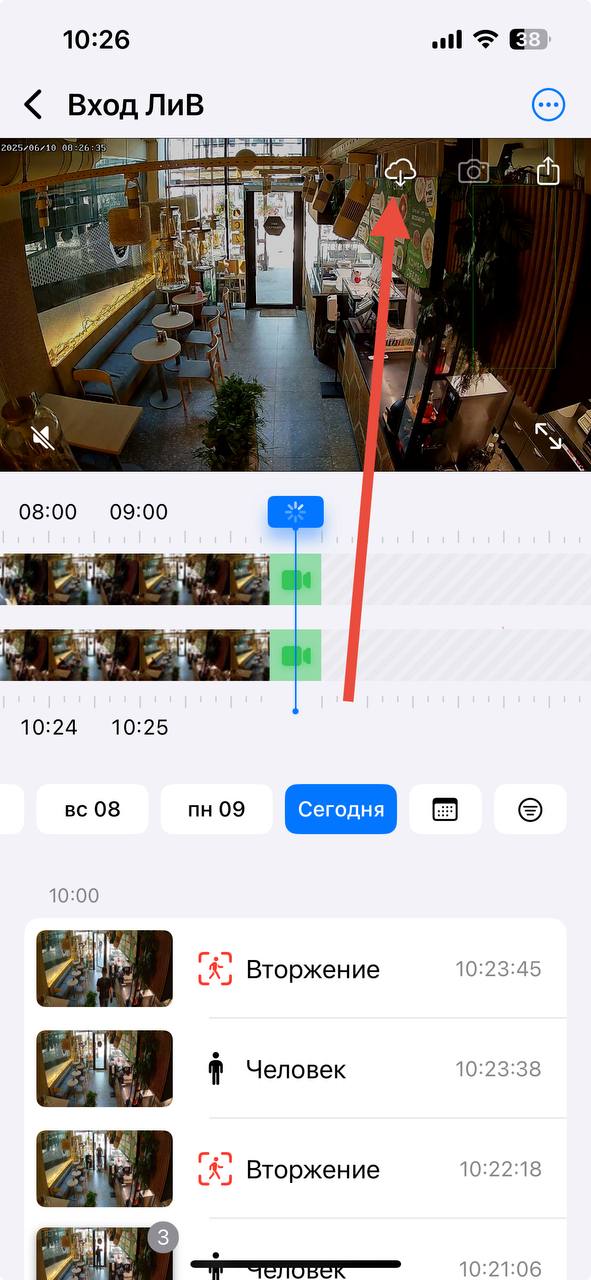
- Tap the download button on the video screen.
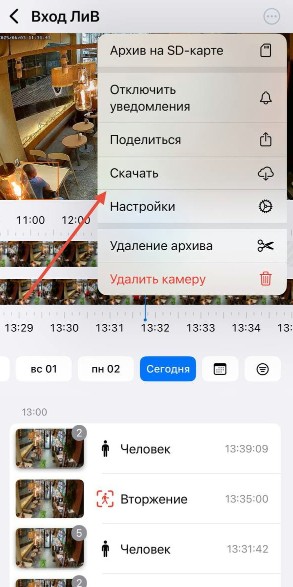
For iOS there is a second method: through the menu (three dots) and tapping the “Download” button.
- Select the desired segment on the timeline and tap the “Download” button.
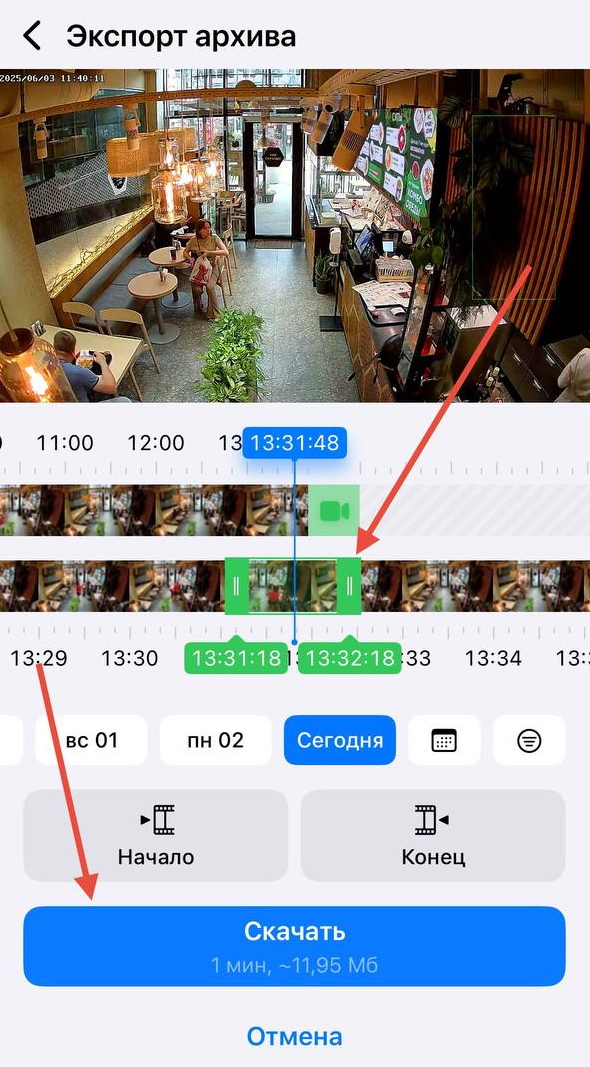
Just five steps and a few seconds to download a clip to your phone — perhaps downloading video has never been this fast and intuitive.
No more struggling to find events you’re looking for on inconvenient timelines. With Faceter any search takes just seconds thanks to event labels and a user-friendly interface.