
Connecting the Faceter AI Agent in Telegram
The Faceter AI Agent captures events, recognises details and understands what is happening — events, actions, colours, captions, clothing. With this description you can quickly find the required fragment in the archive without long video scrubbing.
Reports and AI Agent interactions are available through a Telegram bot.
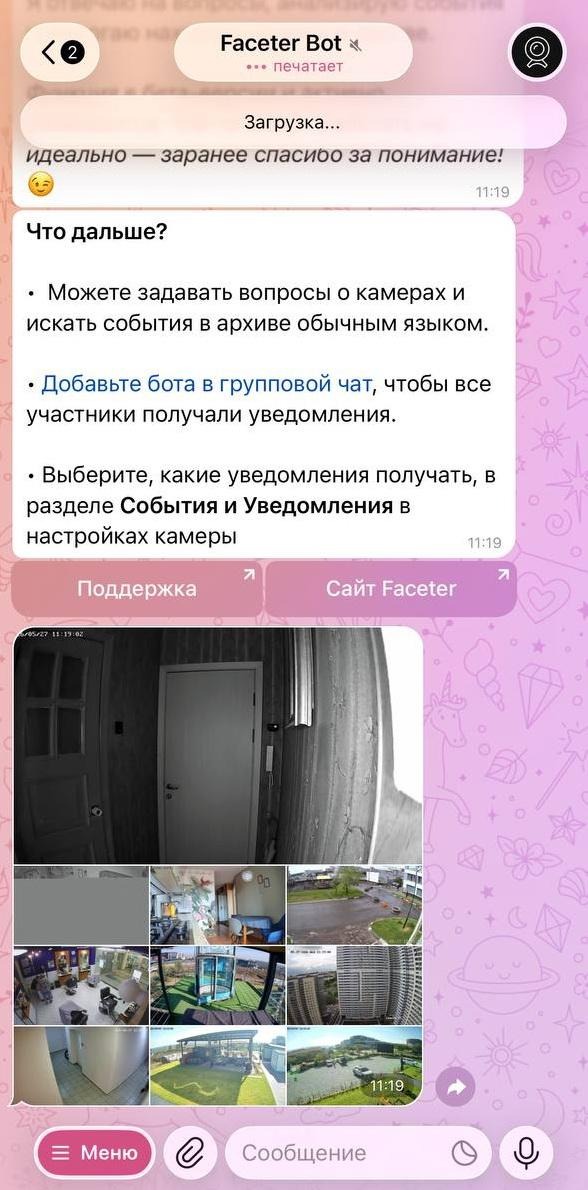
How to connect the Faceter AI Agent and start using the assistant
Section titled “How to connect the Faceter AI Agent and start using the assistant”-
Open the Faceter bot in Telegram.
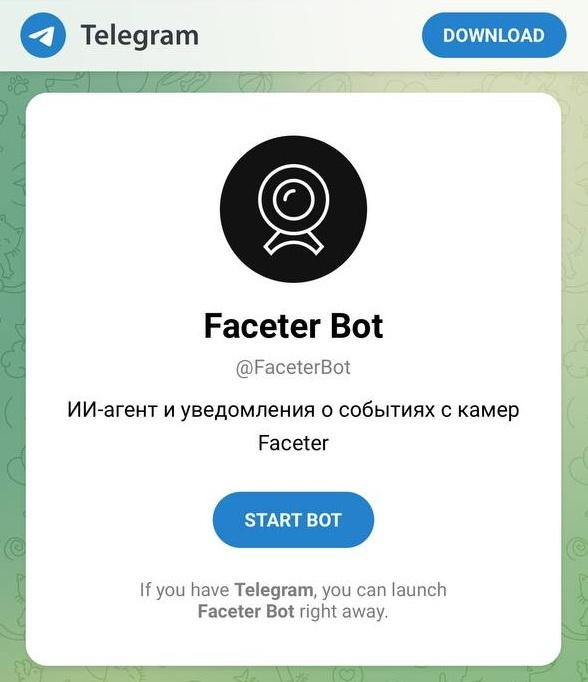
-
Send the
/startcommand to launch the bot. -
Get the activation code in the Faceter app: Settings → Telegram notifications → Add new chat → What to do if the bot asks for an activation code.
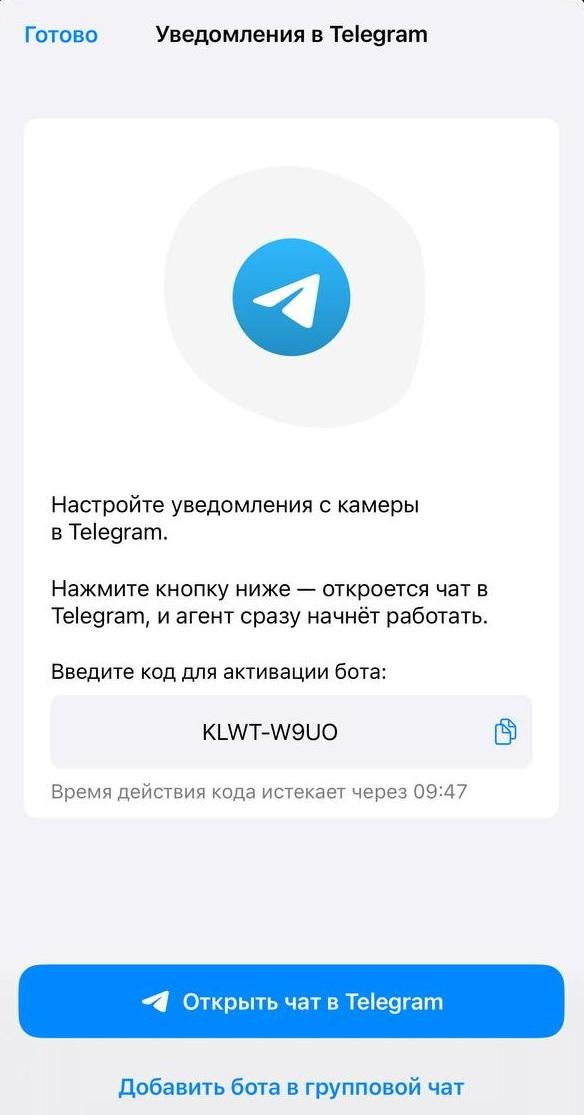
-
Copy the activation code, paste it into the Telegram dialog and send the message.
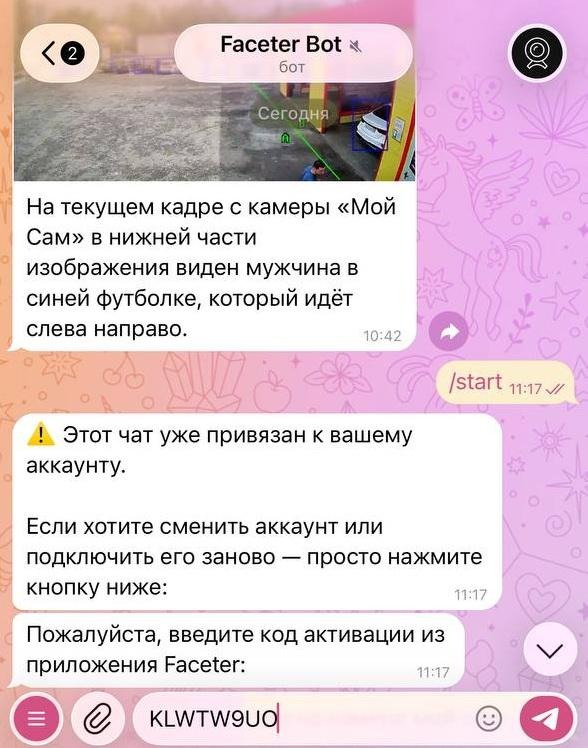
-
On a successful connection the bot will reply with a confirmation that the integration has been completed.
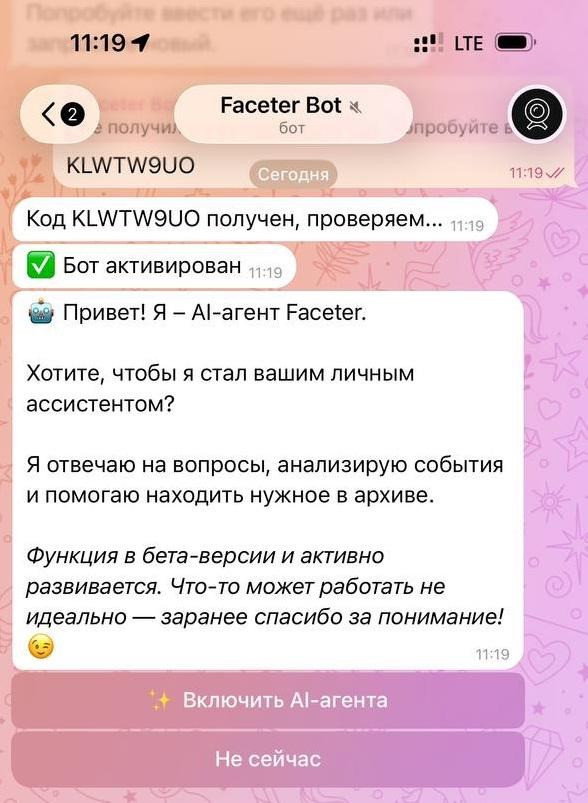
You can now interact with the AI assistant, request information, work with analytics and planning. The Faceter AI Agent is able to remember important details to make future work more efficient.
How to forward in-frame events from Faceter cameras to Telegram on detection
Section titled “How to forward in-frame events from Faceter cameras to Telegram on detection”-
Select the desired camera in the Faceter app.
-
In the app settings open the “Events and notifications” section and configure the required detections.
-
In the “Notifications” subsection of the active detections specify where the AI comments should be sent.
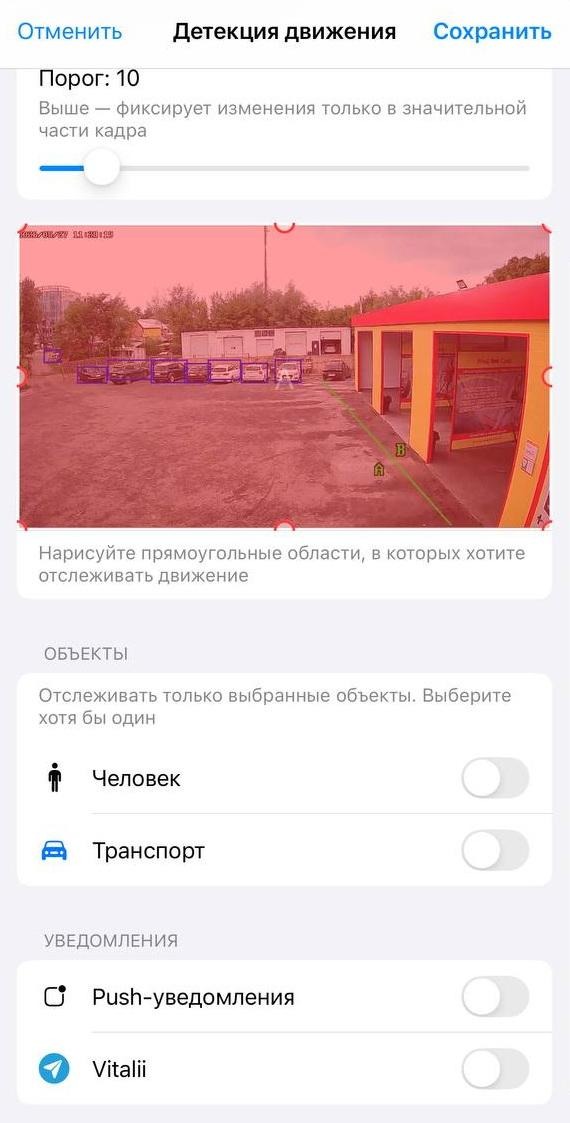
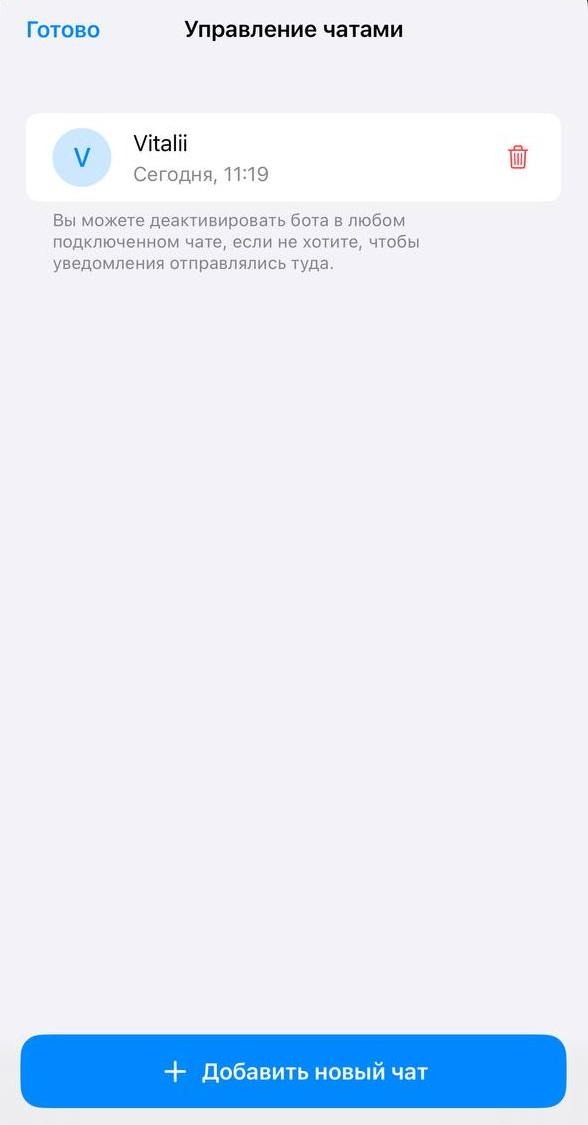
The agent can deliver messages both to the Faceter bot and to Telegram groups (new groups are added through the Faceter app: Settings → Telegram notifications → Add new chat).
The full list of AI Agent capabilities is available directly in the dialog with the bot. Ask your questions, request information and explore the functionality through a conversation — the bot will be glad to answer.
How to disable the Faceter AI Agent
Section titled “How to disable the Faceter AI Agent”-
Option 1: turn off notifications in the Faceter app (Settings → Telegram notifications).
-
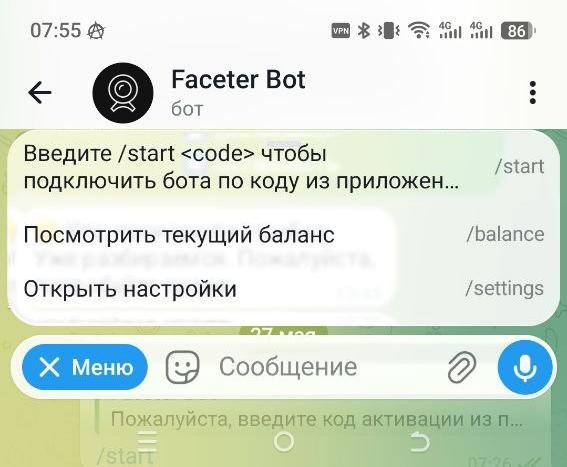
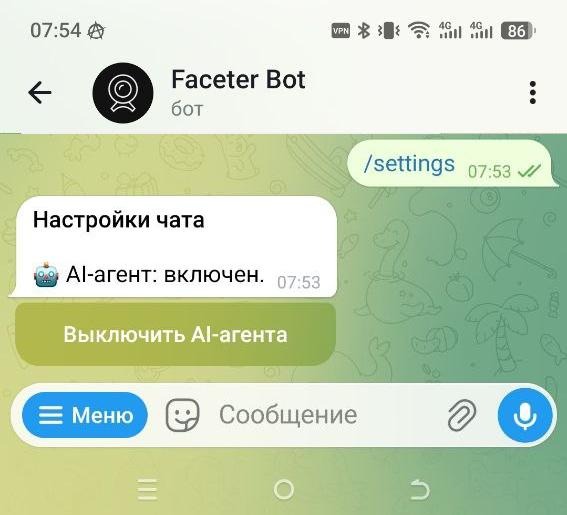
Option 2: stop the bot from Telegram. Tap the “Menu” button in the bot, open “Open settings” and tap “Disable AI agent”.
If you have any questions or suggestions, please contact our technical support team.